
National eCommerce Convention – 21st February 2022
#eCommerceforeveryone
#NeCC2022
#nationaleCommerceconvention
#enablingeCommerce
#etijarat
National eCommerce Convention – 21st February 2022
#eCommerceforeveryone
#NeCC2022
#nationaleCommerceconvention
#enablingeCommerce
#etijarat


happy birthday @wendy-shay.
God Bless your New Age.
# Tip
Please note: Gaming server only works for Gaming apps, VoIP server only works for VoIP apps, and Torrent only works for Chrome and UTorrent app. AIHFV-unlimited access VPN

message directly
we recently dropped the price of AIHFV, so many can get into our servers. now you can pick up the best experience with ₦5,000
this now available for all base @port Harcourt. to get this tool, message directly.
Google Chat
Some months back, Google reveals Google chat had a one on one video call feature on Gmail without the need for a link. Just as it is on the old hangout. Now, this feature is available on the updated version of Gmail across Android devices.
Google Chat now supports one on one video call on Gmail
Last year was known to be the last for Google Hangouts, however, it doesn’t totally mean the extinction of Hangouts. The platform has been replaced with Google chat. All Google hangout members are moved to Google chat with a whole new experience and extra features. It was one of the biggest changes made by Google in recent times.
Google Chat started as a stand-alone application on the Google play store, but just a few months back, Google decided to conjoin the platform with its Google Gmail platform. You can now use the Google chat directly on your Gmail app but most definitely has to be updated. Google meet was also conjointly part of the recent update. meaning, you can access Google Gmail services, Google chat, and Google meets in just one application. This makes usage more convenient for users and also saves much time. The three platforms have a designated tab at the bottom of the app for easy access.
Google Chat app new features
Now, one of the classic features of Hangouts has been made available for the Google chat service, you can now make a one-on-one video call with a friend and the best part is, you don’t need a link to do that.
Having to send a link to when for a one on one call seems too much and this has been resolved by Google. When on a chat with a second party, you’ll notice the call icons at the top right corner of the chat. You can choose between video call or audio call and the call will be initiated instantly. While also on a call, you’ll notice the little blue banner at the top, this represents the active call with the name of the person you’re having a call with and the time spent. Any time you miss a call from someone, it is marked in red as it has always been.
Google Chat video call setup
This new update has been made available for both android and IOS devices, but you have to ensure the app is updated to the latest version. The one on one call without a link is not yet available on the standalone app of Google chat, so you’ll need Gmail to use the service. And it is also available for all users.
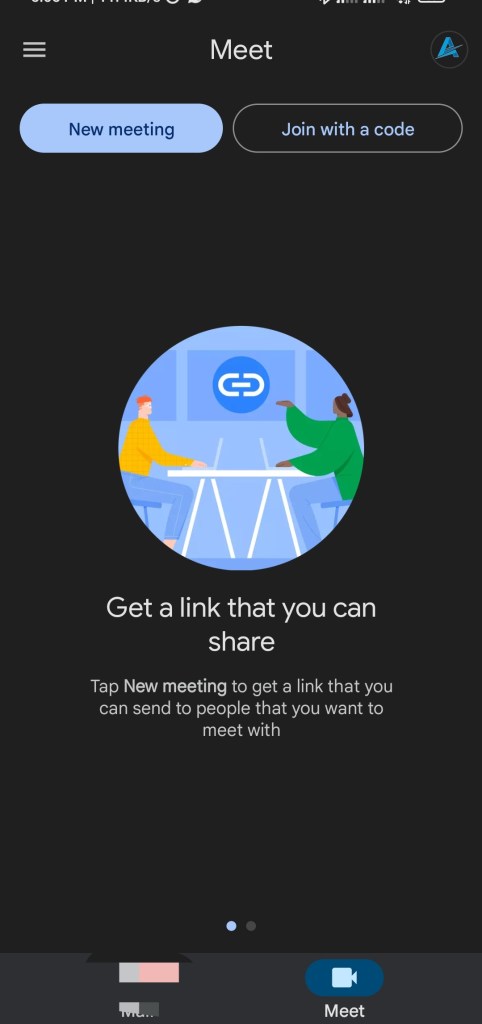
Live translation now available to Google meet users
Google meet is a meeting platform just like zoom. It also allows users to host or join a meeting, it can be a one or one to the group meeting. The platform is packed with some cool features and also has some exclusive features for business owners. To be part of the exclusive users, you have to be subscribed to a plan.
The exclusive plans also come in categories, so you will have to subscribe to the plan that suits your budget or company’s need. Some months ago, Google announced the release of the translation feature that automatically translates while the meeting is ongoing. Although, at that period it was only limited to one translation which is English. Now more languages have been added; French, Portuguese, German, and Spanish. Hopefully, more languages will be added soon.
Is Google meet live translation caption available for all Google meet users?
Unfortunately, the feature is not available for all Google meet users. The downside of the new feature is that the feature is only available to exclusive users. Users that can access this feature include:
Enterprise Standard
Google Workspace Business Plus
Teaching and LearningGoogle
Workspace for Education Plus
Enterprise Plus
The service is available to meetings hosted with the above plan. While the service is not yet available to the following plans:
Google Workspace Essentials
Enterprise Essentials
Business Starter
Business Standard
Google Workspace for Education Standard
If you have the above plan, then the service is not available for your plan.
How do I activate Google meet live translation caption
How To Activate Google Meet Live Translation Caption
Activating Google live translation captcha is no stress at all. Follow the steps below to get it activated.
Open up your Google meet app
Now, find the settings icon and tap/click on it.
Navigate to “caption“and click/tap on it.
Now tap/click on “Translated captions” for mobile device users, tap on “Live caption”
You can now choose the language you want to translate to from the options available.
How To Activate Google Meet Live Translation Caption
You have successfully activated the live translated caption on your Google meet. You can explore this feature if you are hosting a meeting with people from different parts of the world.
our servers are back and better than ever! get unbreakable network connections. get started today! https://wa.me/message/3CSNW2QVGUKNL1
we’re making a few changes today to our ads platform to help protect advertising.
advertisers will have to confirm their ads and verify their ads before they can run ads on sytelvc1.
this update won’t stop users from using and running ads. but will help improve rankings. we just launched another tool, this will help us bring all users closer together, on top of this we’re rolling out new features based on what we’ve heard from the top reviews.
this is all part of our ongoing work to improve quality of ads on our platform.
#sytelvc1.

 Artificial cybernet updates. info